What should a digital business card profile actually include?
A digital business card can carry far more than a name and number. Here is what to include, what to leave out, and the order that makes strangers trust you faster.
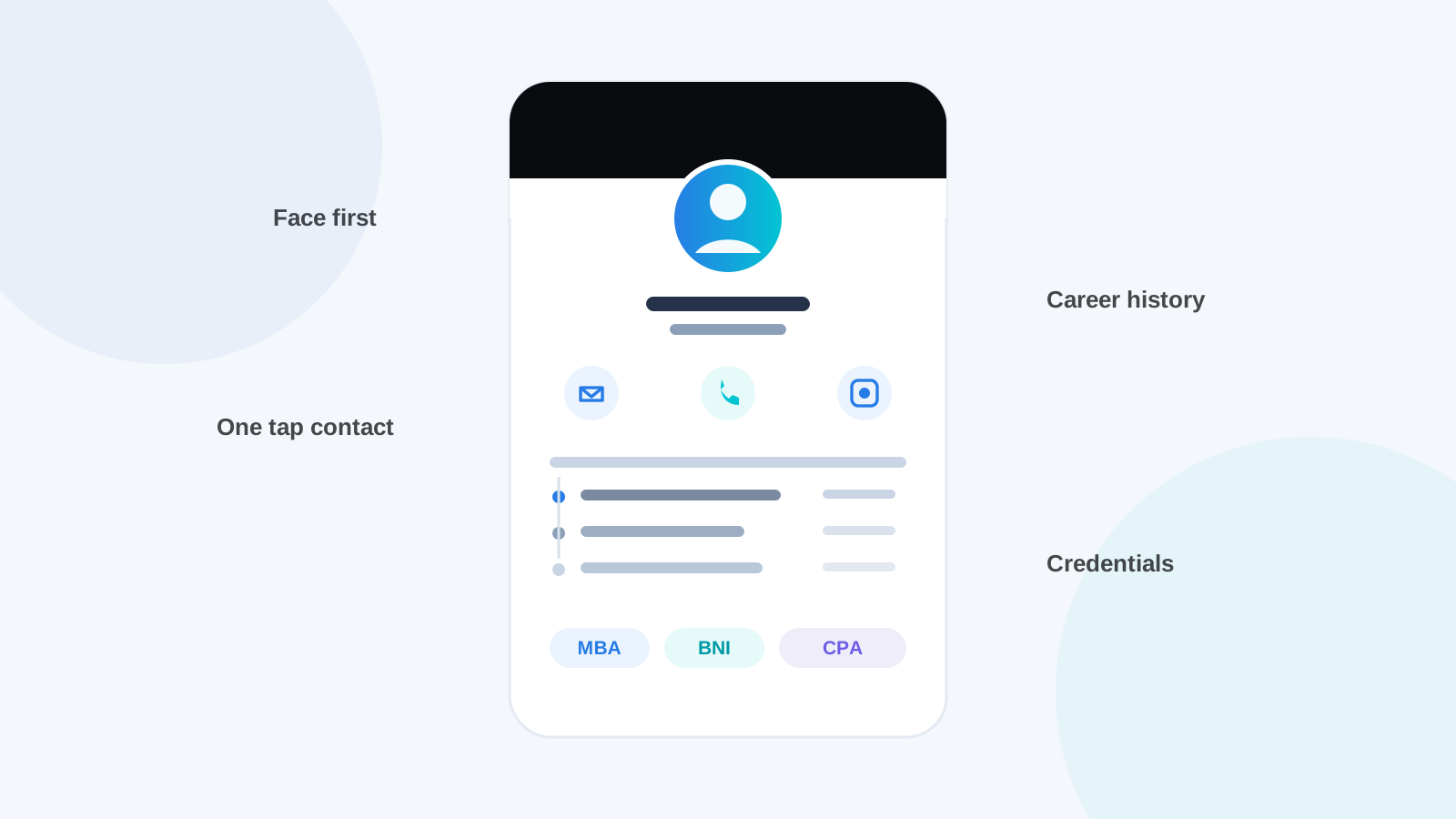
A paper card forces brutal editing: name, title, number, done. A digital profile removes the space limit, and that is both the opportunity and the trap. Fill it well and a single tap hands someone a complete, credible picture of who you are. Fill it badly and you have shared a half-empty page that whispers "set up in a hurry."
Here is what belongs on a profile that works, based on what we see across thousands of taps on the TapID network.
What are the non-negotiables?
Name, role, company, one phone number, one email, and a real photo. This is the layer that gets you saved into someone's phone, and it is the part most people complete on day one. Two details are worth extra care.
The photo matters more than any other single field. A profile with a clear, current photo gets saved and remembered; a grey initial circle gets forgotten. This is a face-driven business culture, and your profile photo is the face.
The phone number should be the one you actually answer, formatted properly. If WhatsApp is your real channel, and in Sri Lanka it usually is, make sure the WhatsApp link is set so a contact can message you in one tap instead of saving-then-searching.
How do you show credibility, not just contact details?
With the layers a paper card never had room for: your career history, credentials and memberships. A stranger deciding whether to take you seriously looks for exactly what they would scan a LinkedIn page for.
Where you worked before is often the fastest trust signal you have. A "previously at" list of two or three past workplaces answers the unspoken question, "is this person established?", before it gets asked. TapID profiles carry a dedicated career history section for precisely this, with the company, your role there and the period, shown as a clean timeline under your current position.
Credentials and memberships do the same work in shorthand. MBA, CPA, chamber and BNI memberships: each one is a borrowed endorsement from an institution the reader already trusts. If you are a BNI member, we wrote a full guide on making the profile work in that world.
Should you add your bio, services and prices?
A short bio, yes, always. Two or three sentences on what you do and for whom, written like a person rather than a press release. Line breaks are your friend; a wall of text is not.
Services and pricing depend on your trade. A consultant, a salon, a photographer: listing services with clear price framing saves both sides an awkward conversation and quietly filters serious enquiries from browsers. A corporate director probably skips this section entirely. The test is simple: would you say it in your first meeting? Then it can be on the profile.
An FAQ section earns its place more often than people expect. Three questions you answer every single week, answered once, permanently. It reads as confidence.
What should you leave out?
Anything you would not want a stranger to have, and anything you cannot keep current. The profile is public by design; that is its job. Home addresses, personal social accounts you keep for family, the mobile number you guard: leave them off. And every field you fill becomes a small maintenance promise. An out-of-date profile is worse than a sparse one, because it teaches people your information cannot be trusted.
The quiet advantage of a digital profile is that maintenance is one edit, everywhere, forever. When your details change, everyone who ever tapped your card sees the new version. That only works if you actually make the edit.
In what order will people read it?
Top to bottom, fast, on a phone, usually within a minute of meeting you. So the order is the argument: face and name first, current role, ways to reach you, then the credibility layers, then the depth for those who keep scrolling. TapID arranges the sections in this order for you, and hides any section you leave empty, so a lean profile still looks intentional rather than unfinished.
If yours is still a name and a number, ten minutes fixes it. Here is the setup walkthrough. Your card is only as impressive as the profile behind the tap.
Ready to network smarter?
Create your free TapID profile in minutes, or pick a card that makes your next introduction unforgettable.